Innstillinger
 Rask levering
 Gratis frakt
 Incoterms
 Betalingstyper


 Markedsplass-produkt


Choosing the Right Brain for Your Project
Whether you are designing a DIY project or competing in an embedded design contest, selecting the right electronic hardware for your idea is crucial. This is especially true during hackathons where time is a critical factor. Choosing the right hardware for your project idea in the shortest amount of time could even decide your fate in the competition.
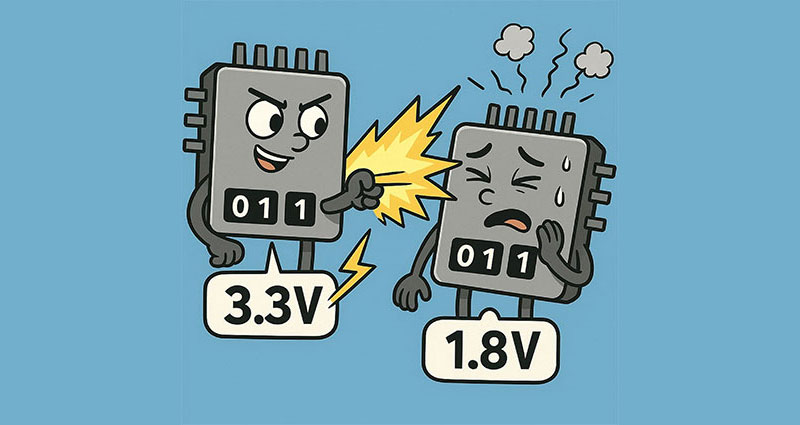
 Figure 1: AI depiction inspired from the Harry Potter movie. (Source: AI-generated)
The component selection, implementation and even software architecture often depend on the initial board you choose. For example, if you select an Arduino UNO R4 for your obstacle-avoiding robot project, it will help you narrow down your choices to Arduino-compatible modules or Arduino daughter boards, making the process easier.
To get an idea, let's examine how the number of available parts (ultrasonic sensors for your project) on DigiKey changes (Figure 2) when we filter it based on Arduino compatibility. Choices are great, but selection becomes an issue when we have too many; thankfully, DigiKey’s parametric search is here for our rescue.
 Figure 2: Showing how filtering based on Arduino voltage (plus some other criteria) brought down the number of choices. (Source: DigiKey)
How to choose the right brain for your project?
So far, we’ve discussed how finalizing the evaluation board helps streamline component selection. But how do you decide on the microcontroller or microprocessor in the first place? It’s also worth noting that the process doesn’t always start with the board. Sometimes, you might select the sensors or communication modules first and then choose the board that best supports them.
That being said, it is still safe to say that, “The project’s wants choose the development board” (Figure 1), similar to what Garrick Ollivander (a character) said in Harry Potter movies, “The wand chooses the wizard”. In other words, the project requirements should dictate your hardware choice. For a quick cheat sheet for your evaluation board selection, based on your project type, please refer to Table 1.
Hackathon cheat sheet
| Board | Hardware Spec & Use Cases | Ease of Use | Pros |
| Raspberry Pi 5 | Very powerful processor (quad-core ARM Cortex), PCIe 2.0 x1 expansion, dual 4K HDMI, USB 3.0, and full Linux OS. Excellent for computer vision, lite AI and multimedia projects | Medium – requires OS flashing and configuration but has huge community support and ready-to-use iso images | Ideal for AI/vision or multimedia‑heavy prototypes, with strong I/O and ecosystem support. However, it is not a real‑time platform. |
| STM32 Nucleo WB55 | Dual-core ARM Cortex-M4/M0+ MCU with Bluetooth 5 and Zigbee, integrated ST-Link debugger, and Arduino pin compatibility. Excellent for wireless sensor networks, BLE, Matter, or Zigbee IoT development. | Medium – setup requires STM32CubeIDE/CubeMX but offers professional-grade control and real-time capability. | Excellent for low-power, secure wireless applications, robust RTOS support (FreeRTOS). Advanced users benefit the most. |
| ESP32-S3 Devkit | Dual-core Xtensa LX7, integrated Wi-Fi 4 and Bluetooth 5 (LE), with vector instructions for AI acceleration. Ideal for IoT, AIoT, wireless control, DIY robots, speech recognition and home automation. | Very easy – works with Arduino IDE, MicroPython, ESP-IDF; fast boot, strong community support, tons of libraries. | Perfect for wireless DIY and IoT projects. RTOS and TinyML compatible. Neural network acceleration. |
| Jetson Nano 2GB Dev Kit | 128-core Maxwell GPU + quad-core ARM A57 CPU, 2 GB RAM, supports CUDA, TensorRT and OpenCV. Runs Ubuntu-based JetPack SDK. Great for entry level AI/ML , computer vision, autonomous robot, edge computing projects. | Medium – needs SD/eMMC setup, Linux familiarity required, but full Python/C++, AI toolchain available. Strong community and documentation support | Ideal for learning the basics of edge AI, computer vision, autonomous robotics, boot/setup takes time. |
| UNO Q | A dual-brain hybrid board, combining a Qualcomm QRB2210(MPU) with a real-time STM32U585 microcontroller, backward compatible with classic UNO shields. Ideal for IoT, AI-edge and computer vision projects. | Very easy – web IDE, drag-and-drop sketch upload, works with existing UNO ecosystem. | Fast boot, perfect for education IoT and robotics projects. RTOS, Python and Arduino app lab supported. |
| Microbit V2 | Ultra-beginner-friendly board with Cortex-M4 MCU, onboard 5×5 LED, buttons, accelerometer, compass, mic, and BLE. Excellent for STEM, wearables, and simple control logic. | Very easy- Block coding and MicroPython support, instant flashing via USB, great documentation and community. |
Perfect for education and for early introduction to coding. Ideal for project demos, wireless projects; low power. limited GPIO and processing capability. |
Table 1: A quick reference sheet for your evaluation board selection based on your project type.
Other factors that help choose the right development board.
Apart from what has been discussed in the table, there are several other factors you could consider while designing a project.
1. Choosing Between Microcontrollers and Microprocessors
First and foremost, we need to decide whether your application needs:
- A microcontroller-based evaluation board (e.g., Arduino UNO R4, ESP32, STM32 Nucleo, Raspberry Pi Pico, or TI LaunchPad), or
- A microprocessor-based single-board computer (SBC) (e.g., Raspberry Pi 5, Arduino Uno Q, NVIDIA Jetson Nano)
Microcontrollers are ideal for real-time control applications (small robots, motor control, sensor interfaces, IoT nodes, etc.), while microprocessors are better suited for high-performance or multi-threaded tasks (AI applications, computer vision, edge processing, or web servers). Refer the following blog for more details on the distinction between a Microcontroller and Microprocessor.
2. Wired vs. Wireless Applications
Next, determine whether your application needs wired or wireless connectivity.
- Wired: Simple serial, I²C, SPI, UART, or CAN bus connections are sufficient.
- Wireless: If you require wireless communication, select boards that come with built-in support or use compatible standalone modules.
- Wi-Fi (ESP32, Raspberry Pico W)
- Bluetooth/BLE (ESP32, Arduino Nano 33 BLE)
- LoRa (RYLR896, RYLR993_Lite)
- GSM (SIM800L, SIM7600SA)
This choice will have a major impact on energy usage and which evaluation board you choose.
Note: Even if your board doesn’t have built-in wireless features, you can add wireless modules using any of the above wired protocols. Just make sure your board supports the wired communication standard followed by your wireless module. Also many of the above mentioned boards support multiple wireless protocols even though they aren’t explicitly mentioned above.
3. Processing and Memory Requirements
Check the computational needs of your project:
- Processor Speed (MHz/GHz) – affects how fast tasks are executed
- RAM – critical for buffering data and running larger code
- Flash/ROM – determines how much firmware or software you can store
4.Operating Voltage & Current:
- Compare the sensor’s/peripheral’s current requirements with the board’s source/sink current capacity.
- Check the sensor’s operating voltage (commonly 3.3 V or 5 V) and ensure it matches the board’s I/O levels.
- Understand the board’s logic levels (e.g., 3.3 V or 5 V TTL).
- Refer to the following detailed documentation about I/O standards for more details.
- If they’re not directly compatible, you may need level shifters.
5.Communication Range and Protocols
Depending on the distance of communication, choose the appropriate protocol:
- Short-range: Bluetooth, Zigbee, Wi-Fi
- Medium-range: LoRa, Sub-GHz RF modules
- Long-range / Global: GSM, LTE, Satellite or NB-IoT
Summary Checklist for Hardware Selection
Therefore, to choose the development board for your project, follow this summarized checklist:
- Define your application and requirements clearly
- Choose between a microcontroller or a microprocessor
- Determine wired or wireless communication
- Match sensors and communication protocols
- Verify voltage, current, and I/O compatibility
- Check the range of the scope of the project in terms of distance
By adhering to these simple steps, you’ll avoid some headaches that could have occurred otherwise.
Further Reading
- https://www.electricaleasy.com/2024/12/choosing-right-microcontroller.html
- How to pick the best microcontroller for your project - Electronics with Becky Stern | DigiKey
- How to Select the Right Microcontroller for an Application
- (PDF) The effect of project constraints and choice on first-year microcontroller projects
Om skribenten

Aswin is a software engineer with specialization in robotics and AI. He has a passion for applying these skills for social good. His experience ranges from social entrepreneurship in home automation to robotics engineer. He has worked on innovative projects like monocular visual odometry systems for robot localization. Additionally, he has experience in teaching robotics and AI to students of various ages. He enjoys public speaking, bee keeping, gardening, and volunteering for social causes.

Have questions or comments? Continue the conversation on TechForum, DigiKey's online community and technical resource.
Visit TechForumFlere blogger fra denne forfatteren